Your wellness data, connected and protected.
See how your health changes over time and explore your data with AI, all while staying in control of your information.
Your data is stored on your private Biolink Server.
Your data
It’s your personal data. You should own it and control how it’s used.
Bring your wearable data, labs, nutrition, medications and more together on your own private server. Change wellness apps freely and keep your records forever.
One record
Everything you track, finally in one place
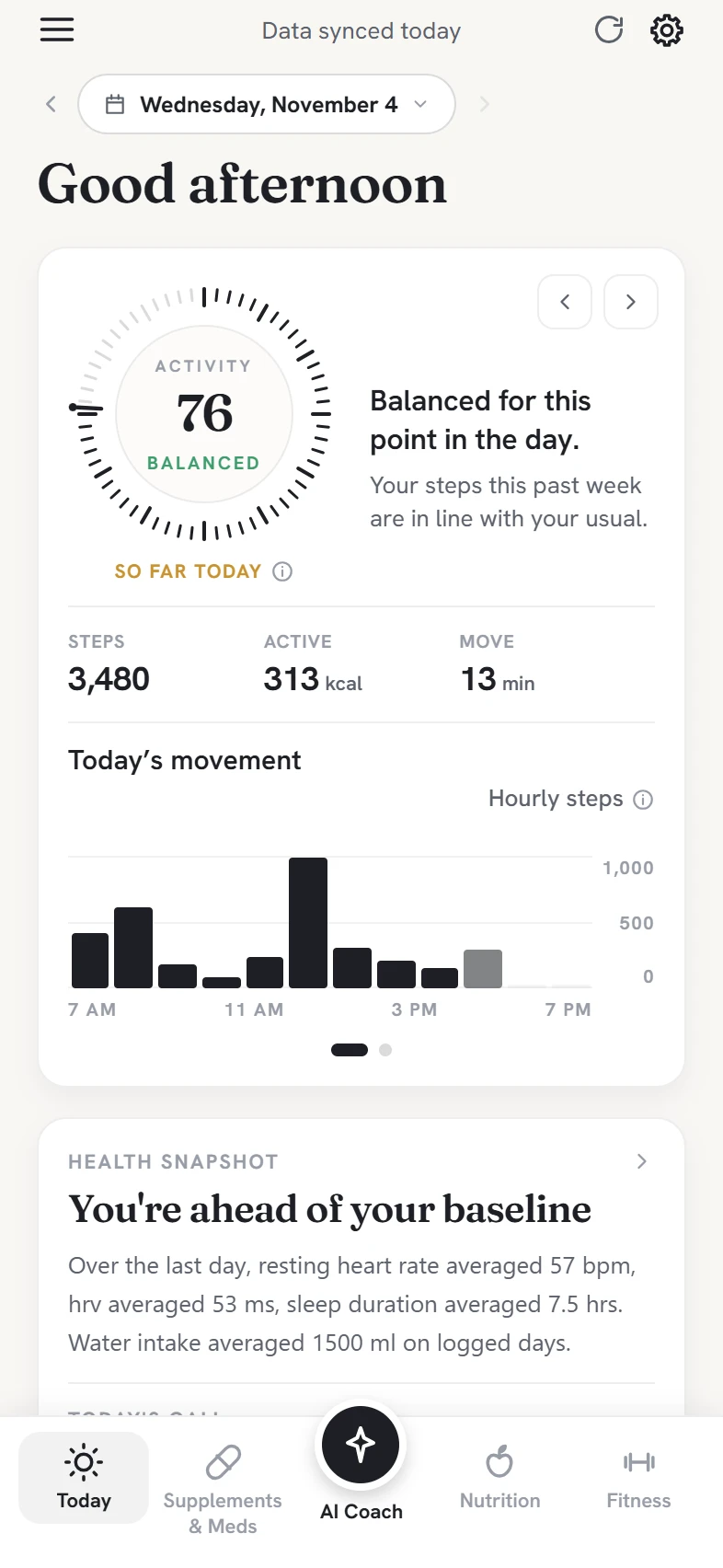
Readings, lab results, meals, water and notes sit side by side, each with its date. When two devices report the same thing, such as sleep from a watch and a ring, Biolink picks one so nothing is counted twice.
- Wearables
- Sleep, heart rate, HRV, steps and workouts from Apple Health, through the mobile app on iPhone. Oura and WHOOP connect directly, so you can keep using their apps: your data still syncs to your Biolink Server for consistent long-term tracking.
- Lab results
- Add your individual lab results or upload a complete PDF. Our AI will parse the file and automatically capture each value.
- Nutrition
- Log meals by searching, scanning a barcode, or simply describing them in words.
- Water
- Log each glass and track how much water you drink every day.
- Medications & supplements
- Keep track of what you take and connect your routine to the rest of your health data.
- Notes
- Write down symptoms, mood and how you feel, in your own words.
Devices that write to Apple Health come along with it.
Privacy by where it lives
Your records stay on your own server
Biolink stores your health record on a Biolink Server you control: a Windows 11 PC with virtualization on (beta), a computer running Ubuntu Linux (coming soon), or a turnkey Biolink Server (pre-orders coming soon). The mobile app and the web app read from it, so ownership isn’t a setting. It’s how the product works.
Over time
See what changed, and when
Biolink learns your usual range for sleep, resting heart rate and HRV, and shows when a reading moves outside it. Lab results show against reference ranges for your age and sex. Look back over weeks, months or a year.

Ask
Ask questions about your own records
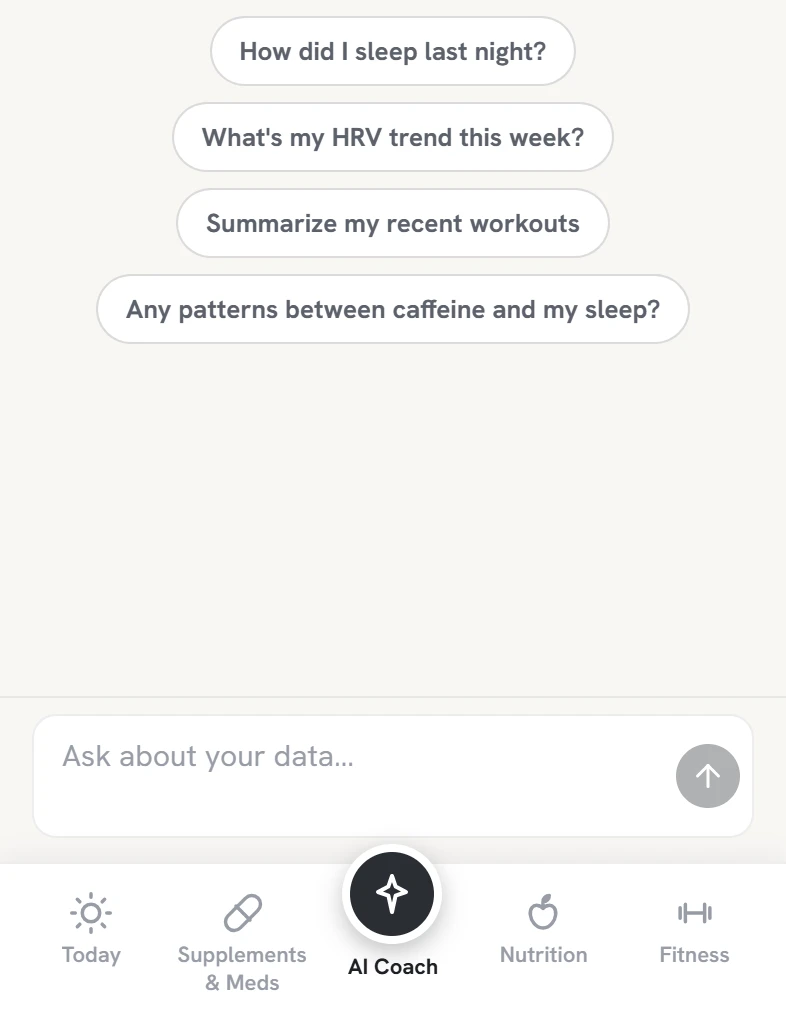
Ask in everyday language, such as how you slept last night or what your HRV has done this week. Answers draw on your own records.
Chat uses an AI model you set up: one on your own network, or a provider you choose with your own key. Biolink doesn’t diagnose.
Appointments
Arrive at appointments prepared
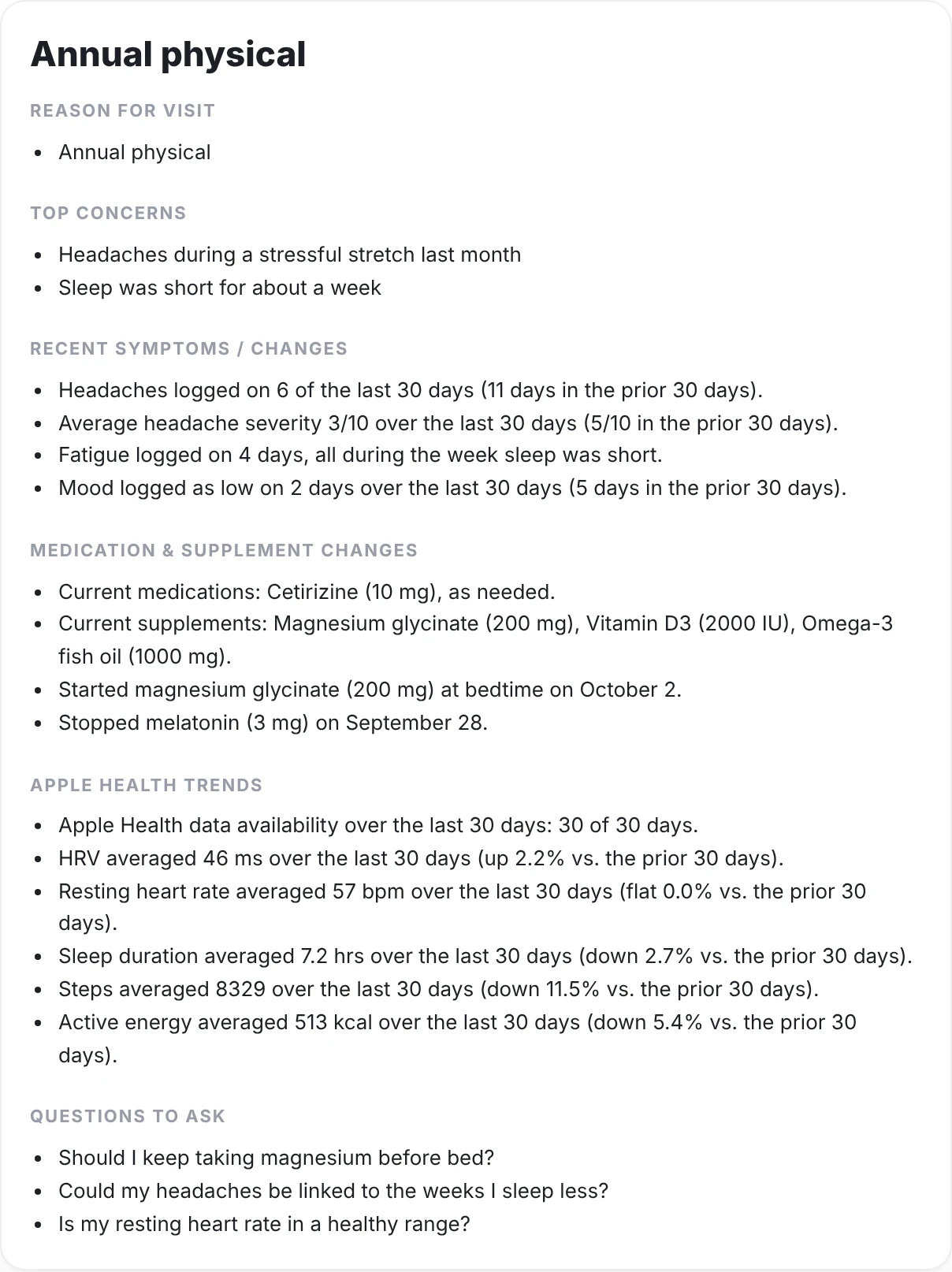
Before a visit, add the reason, what’s worrying you and the questions you want to ask. Biolink adds how your sleep, heart rate and activity changed over the last 30 days. Save it as a PDF to print or share; you decide who sees it.
Get Started Today
Pair the mobile app, connect Apple Health, and add a lab report.